MetatraderSharp - The Origins Story
The why behind the MetatraderSharp library
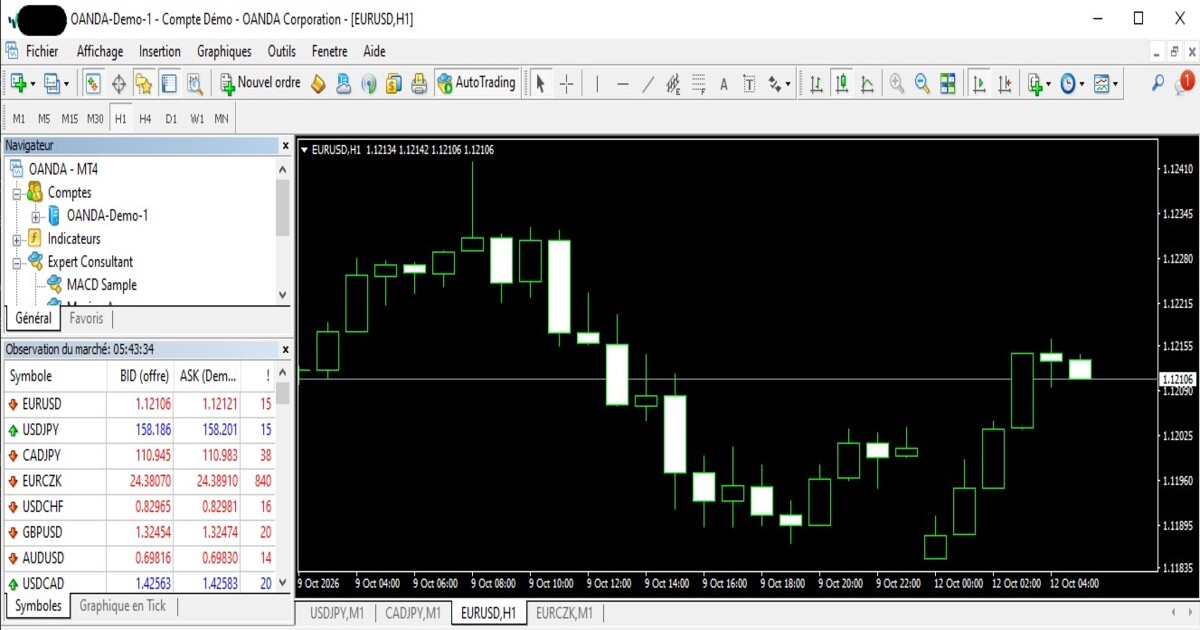
Over the last three or so months, the project which I’ve been focused on has been a wrapper library written in C# for the MTsocketAPI which I’ve called MetatraderSharp. It was born out of a need to pull data from my MetaTrader terminals in a more direct way which didn’t involve the exporting of csv files. I wanted to be able to directly interact with the terminal so that I could pull both historical and live OHLC data for analysis.
Discovering the MTsocketAPI
In my search for a way to have direct interactions with the terminal I came across the MTsocketAPI, a downloadable expert advisor(EA) for the Metatrader terminal, which provides a REST API for interacting with it. Installing and running the MTsocketAPI EA allowed me to pull historical OHLC data between specifc dates provided it was available, and it also allowed me to stream live price and OHLC data directly from the terminal for specified currency pairs using websockets.
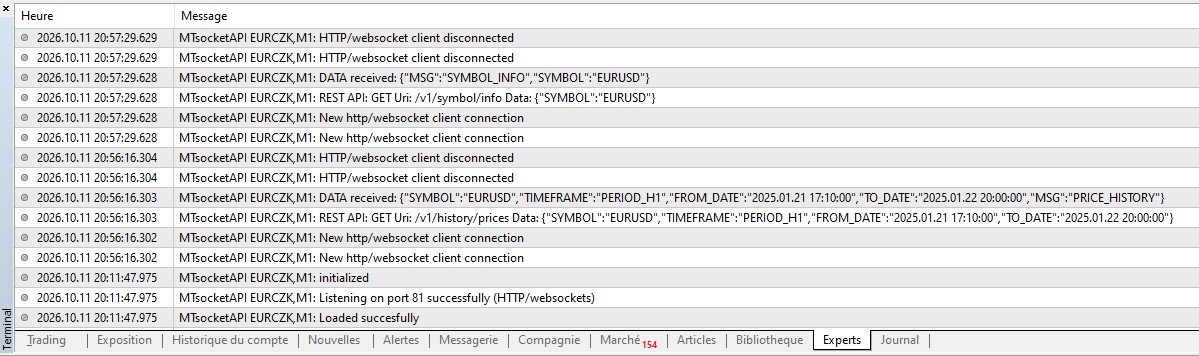 Sample terminal output messages for MTsocketAPI
This discovery was really exciting for me as I could finally see how it would be possible to pull OHLCs into a data analysis tool I was building directly from Metatrader. I felt really liberated and free from the limitations of csv exports. Apart from the OHLC data harvesting which was my main focus, I also later discovered that I could access existing order information and history, as well as open, modfiy, and close trades.
Why build MetratraderSharp?
While discovering MTsocketAPI and its usefulness was a great thing for my data analysis tool project, I quickly realised that I would need to have a more compact way of making requests to the MTsocketAPI if I was going to avoid unnecessary code duplication in the tool I was building. So I decided to write a wrapper library for both the MT4 and MT5 versions of the MTsocketAPI, which would use a version based client to the MTsocketAPI with all the necessary functionality for making different requests to the API built in.
The two versions of the MTsocketAPI correspond to the two versions of the MetaTrader software (MT4 and MT5). Some functionality is common to both the MT4/MT5 versions of the MTsocketAPI, whereas some variation may exist on the same functionality between the different versions of the MTsocketAPI. This is due to the differences in the Metatrader 4 and 5 applications and how they work. Some functionality, however, such as tracking order events and tracking market depth are only available for the MT5 version of the API.
Developing the wrapper library for the MTsocketAPI removed to the need to worry about creating the correct request URIs, HttpRequestMessage objects, and making the correct SendAsync method calls each time some data needed to be sent or retrieved. It also made it easier to understand what the calls to the MTsocketAPI were trying to accomplish, and it made it easier to specify and change parameters for the functionality which needed to be invoked.
How the MetatraderSharp Library Helps
For example, let’s take a look at the following sample code from the MTsocketAPI docs for placing a new buy order for 0.01 lots of EURUSD using an MT4 terminal:
1
2
3
4
5
6
7
8
9
10
11
12
13
14
15
16
17
18
19
using System.Net.Http.Headers;

var client = new HttpClient();
var request = new HttpRequestMessage
{
    Method = HttpMethod.Post,
    RequestUri = new Uri("http://127.0.0.1:81/v1/order?symbol=EURUSD&volume=0.01&type=ORDER_TYPE_BUY"),
    Headers =
    {
        { "Accept", "application/json" },
    },
};
using (var response = await client.SendAsync(request))
{
    response.EnsureSuccessStatusCode();
    var body = await response.Content.ReadAsStringAsync();
    Console.WriteLine(body);
}
Provided that the terminal is up and running with the MTsocketAPI successfully loaded, and the order was successfully placed, the code will return a JSON response with a ticket number which resembles this:
1
2
3
4
5
6
{
  "MSG": "ORDER_SEND",
  "TICKET": 1516862197,
  "ERROR_ID": 0,
  "ERROR_DESCRIPTION": "no error"
}
The code above is all fine and dandy, but I discovered that for serious work where lots of requests need to be made with more complex paramater combinations, the code can quickly become harder to keep clean even with helper methods written to carry some of the load. Below is the same request written using the MT4 client from the MetatraderSharp library:
1
2
3
4
5
6
7
8
9
10
11
12
13
14
using MetatraderSharp.MetatraderClient;
using MetatraderSharp.MTsocketAPI.Responses.MT4;

MT4Client mtClient = new();

if (mtClient.ClientStatusIsError())
{
  Console.WriteLine("Unable to connect to a Metatrader terminal");
  return;
}

var openOrderResponse = await mtClient.PlaceOrderAsync("EURUSD", OrderType.ORDER_TYPE_BUY, 0.01);
Console.WriteLine(openOrderResponse);
The details of the how the HttpClient is called and how the request URI is constructed are hidden. The purpose of the code (placing a buy order) is also much clearer. This is an example of how the library makes it easier to write code which focuses on various trading functions and strategies without having to be bogged down with creating the correct URI strings or HttpRequestMessage objects.
In real-world applications, exception handling and error checks should be done, and the library helps with this by providing methods which allow the status of the last query to the MTsocketAPI along with any accompanying error codes and messages to be checked.
Dependency injection can also be done. So if you don’t want to use the default client or settings you can specify your own:
1
2
3
4
5
6
using MetatraderSharp.MetatraderClient;

var client = new HttpClient();
string websocketPort = "82"; // Warning: this should match the port chosen when the MTsocketAPI was loaded
var  mtClient = new MT4Client(client, websocketPort);
Cooking with MetatraderSharp
Alongside the MetatraderSharp library, I also wrote a cookbook of simple console apps which demonstrate basic use cases of the methods available for each version of the MTsocketAPI. Playing with these bits of sample code will give a better understanding of how the MetatraderSharp MT4 and MT5 clients work.
Final Thoughts
When I first had the idea to do this, I didn’t think it would take as long as it did. I intially thought it would take a week or two tops. But it took a bit longer than I’d thought it would, and I let go and made peace with the fact that it was taking longer than I’d anticipated. For the purposes of skill development, maintenance, and learning, I don’t use AI tools so coding the “old” way takes longer. In any case, I thoroughly enjoyed the journey.
I discovered a few bugs in the MTsocketAPI along the way which were fixed by their support team, and I was able to learn a lot about how Metatrader handles orders, tick and pricing information. I learnt the subtle and not so subtle differences between the MT4 and MT5 terminals in terms of the way they respond to different requests. And, I got a better understanding of the information displayed in the Trade, History, and Experts tabs of the Metatrader terminals.
I’m currently wrapping up testing the library, and I hope to have the first version available for download from Nuget in a few days.
   |